
PDFResume.pdfOpen in Preview

NotchKo

Contact

Native macOS App

NotchKo

NotchKo turns the MacBook's notch into a Dynamic Island: hover it and it opens into a panel, leave and it tucks away. It runs as a background agent with no Dock icon or window and starts at login. I built it because the notch apps I tried ran my battery down, so the whole architecture is event-driven: nothing polls, and nothing runs while it is closed.

Role

Solo developer

Year

2026

Status

Open source · shipped
SwiftSwiftUI + AppKitCombine + Core AnimationAVFoundation + VisionImageIO + QuickLookIOKit + IOBluetoothServiceManagement + CarbonSwift Package Manager
NotchKo
NotchKo interface

0% CPU

while the notch is closed

~30 MB

idle memory footprint

Event-driven

no background polling

Every display

real notch or virtual pill

Case study

From context to working product

01

Why I built it

The notch is useful space, but the apps I tried kept doing work in the background. NotchKo keeps music, temporary files, timers, connected-device details, image tools, a teleprompter, and a mirror within reach while behaving like a quiet system utility when closed.

02

Zero-work idle architecture

Spotify, charging, Bluetooth, and timers push notifications into the app; nothing polls. Elapsed and remaining times are derived from wall-clock anchors, so closing the notch stops all timer work. The collapsed equalizer runs as a Core Animation loop in the system render server: I measured about 9% WindowServer usage while music plays and 0% from NotchKo itself.

03

Native systems engineering

The app uses public macOS APIs only. Spotify integration relies on its scripting interface and playback-change broadcast, while panels are keyed by CGDirectDisplayID so they survive resolution and display changes. It ships as a Swift Package with a custom bundling and code-signing script rather than an Xcode project.

Product tour

Inside NotchKo

Choose a feature below. Select any screenshot to see it larger.

NotchKo

The essentials around the notch

Overview

The essentials around the notch

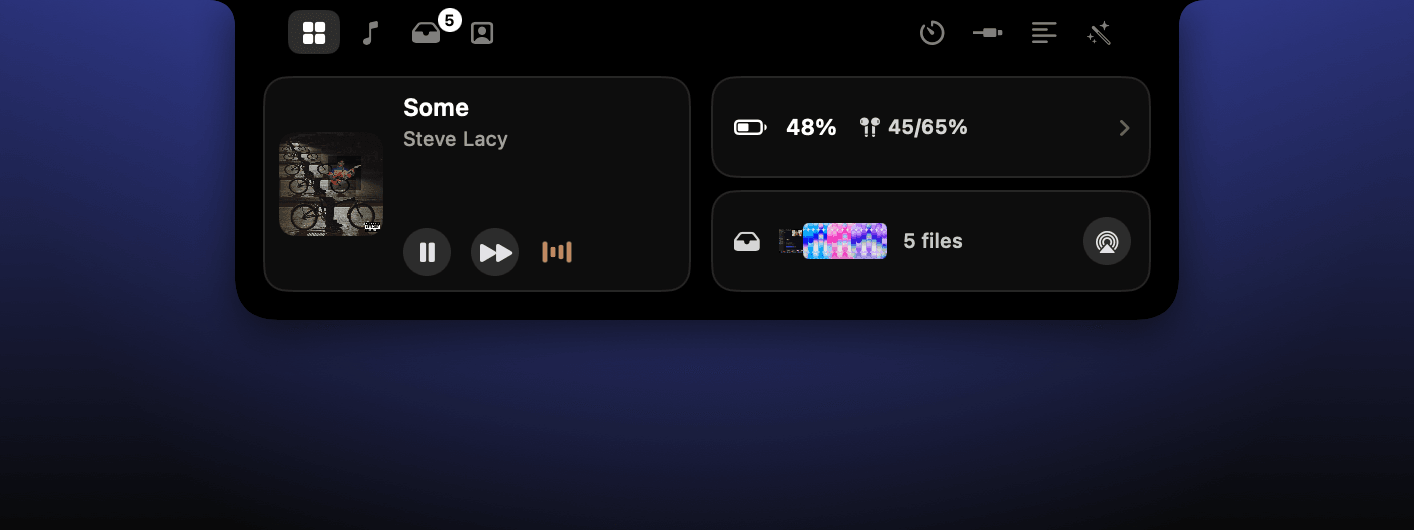
Hovering the notch opens a compact control surface for current playback, connected devices, battery state, parked files, clocks, and utilities without creating a normal app window.

Music, battery and devices, and the shelf at a glance.

Next project

Information System

First District Assistance Management System

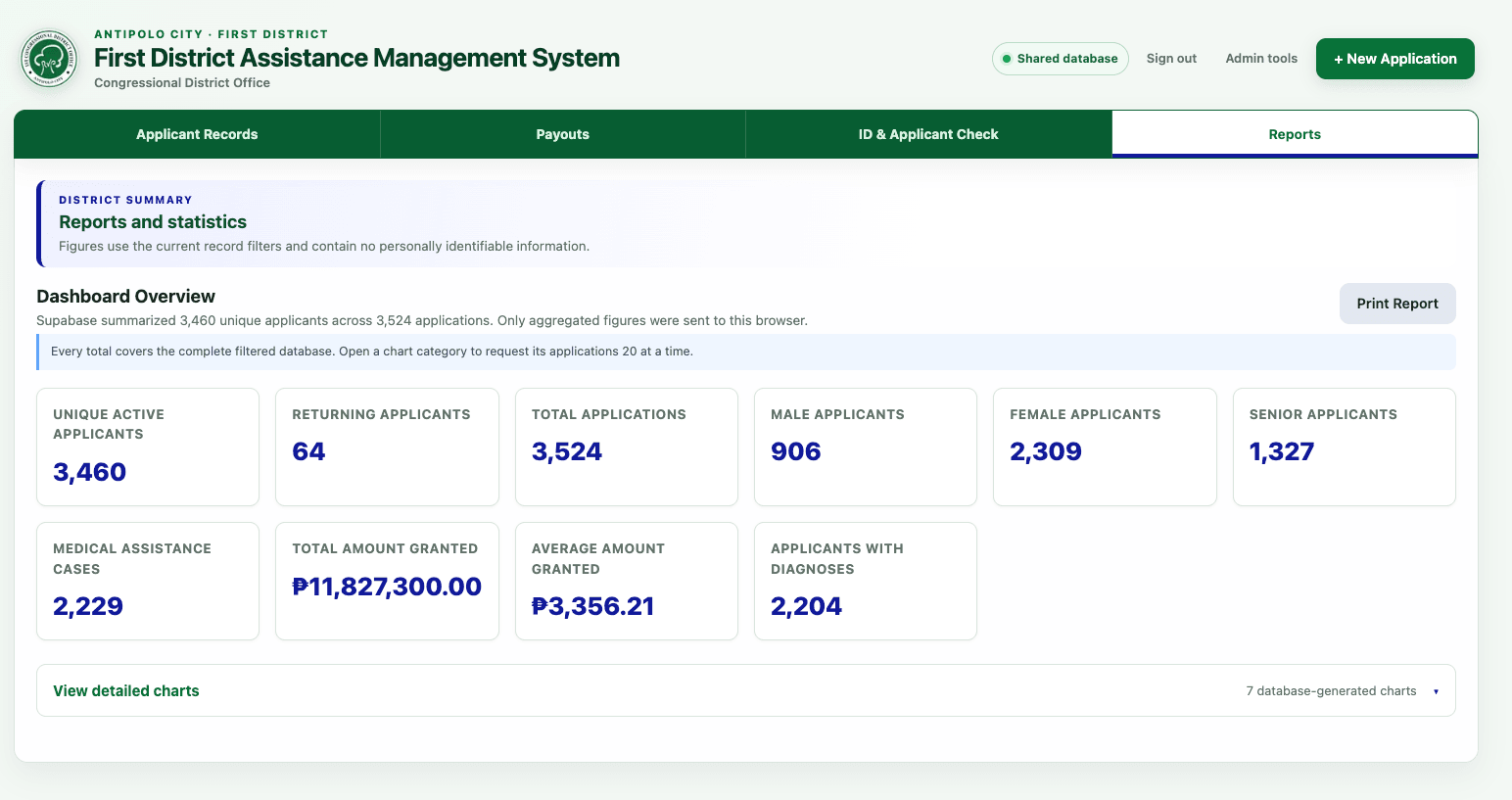
Built for the Antipolo City First District Congressional Office, this system replaces fragmented Excel-based encoding with one role-protected staff workspace.