01
Context
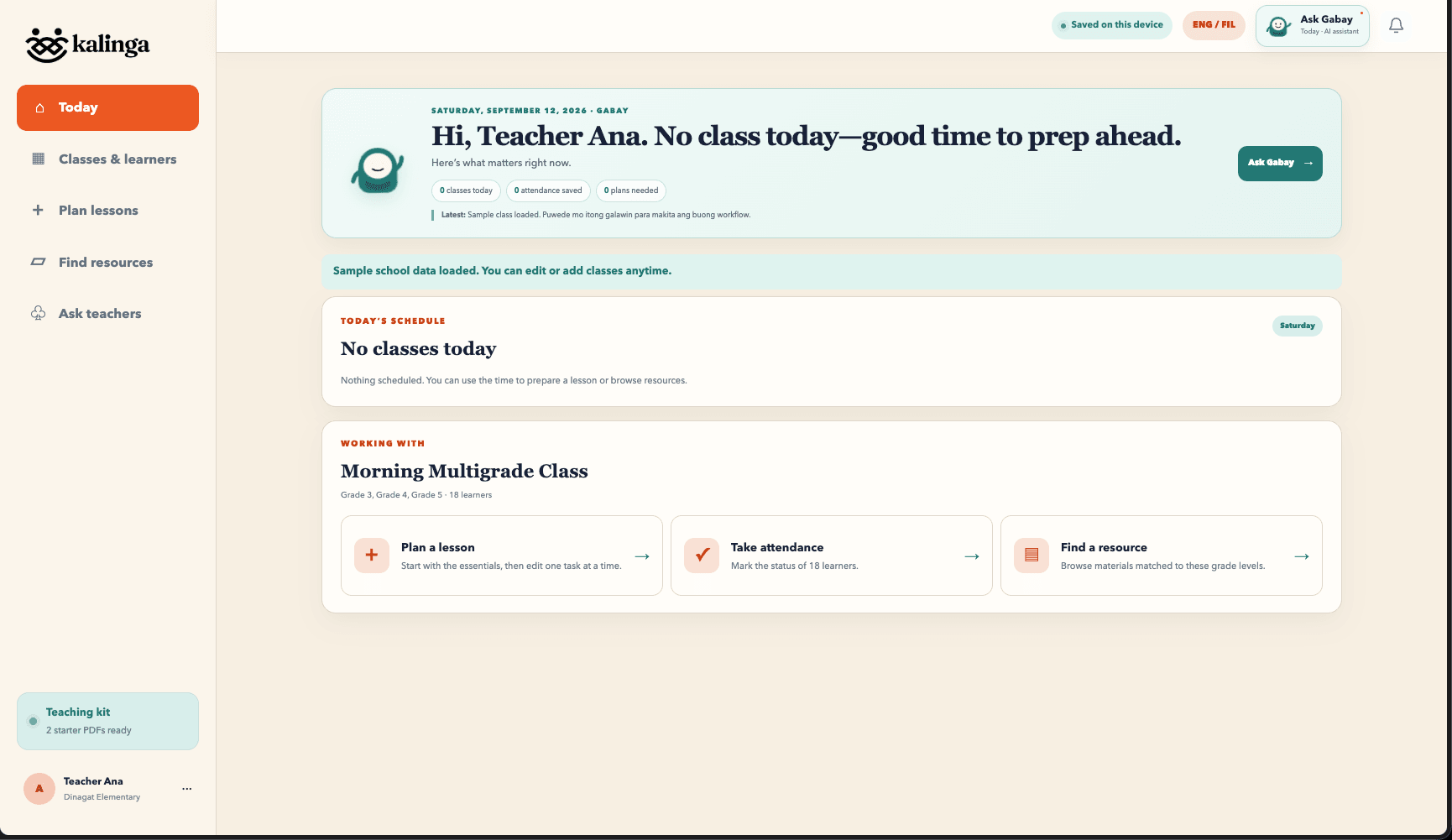
Teachers often move between separate tools for schedules, attendance, lesson preparation, files, and peer advice. The product explores how those workflows could live together without feeling like a heavy school administration system.
 PDFResume.pdfOpen in Preview
Kalinga
Teacher Support App
Kalinga is a teacher-centered workspace for Filipino multigrade classrooms. It connects class rosters, schedules, attendance, editable ILAW lesson plans, a shared resource library, and a teacher room, with Gabay, a page-aware AI assistant, available on every screen.
Role
Full-Stack Developer
Year
2026
Status
Multigrade
combined-grade classrooms
Page-aware AI
Gabay on every screen
Bilingual
English + Filipino
Local-first
works offline
Case study
01
Teachers often move between separate tools for schedules, attendance, lesson preparation, files, and peer advice. The product explores how those workflows could live together without feeling like a heavy school administration system.
02
The interface starts with what a teacher needs today, then leads directly into the exact class or task. Bilingual copy, local-first saving, and reusable community materials stay visible throughout the experience.
03
Next.js and Supabase power class workspaces, attendance, resources, and account-scoped data protected by PostgreSQL Row Level Security. Groq drives Gabay, which drafts grade-specific competencies, objectives, and assessments based on the page the teacher is on.
Product tour
Choose a feature below. Select any screenshot to see it larger.
Access
The sign-in experience introduces Kalinga as a teacher assistant before opening the prototype, keeping the product identity clear without turning the interface into a school administration portal.
A teacher-focused entry point with a warm, locally grounded identity.
Next project
Native macOS App
NotchKo turns the MacBook's notch into a Dynamic Island: hover it and it opens into a panel, leave and it tucks away.